























How to Create Consolidated Financial Reports in Xero (Australia)
Looking for the easiest way to produce consolidated financial reports after 30 June?
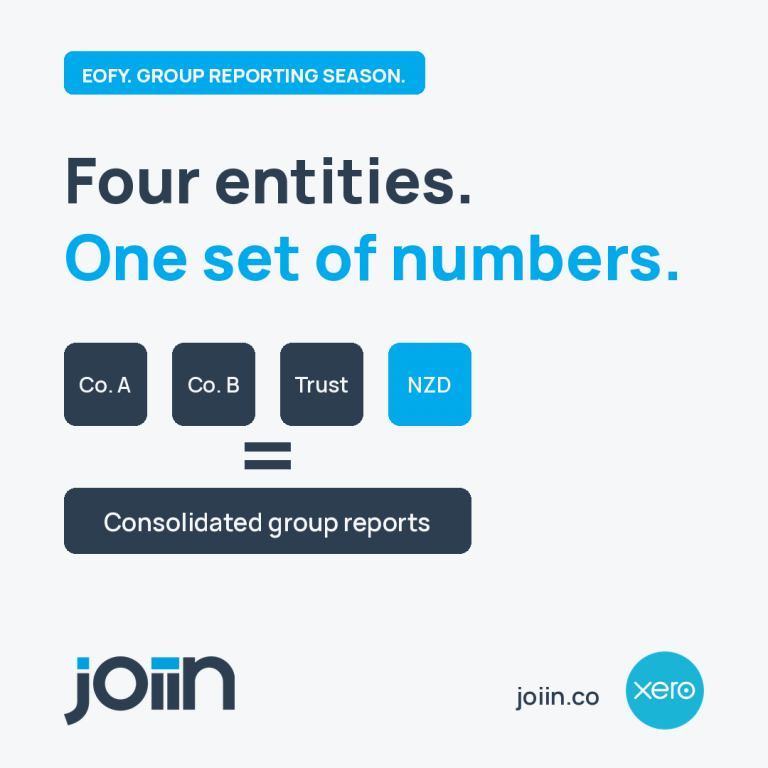
EOFY reporting is one of the busiest periods for Australian finance teams. If your organisation manages multiple companies, trusts or subsidiaries, producing consolidated financial statements can quickly become the most time-consuming part of the year-end close.
Whether you use Xero or a mix of accounting systems, consolidating financial data usually means exporting reports into Excel, matching charts of accounts, eliminating intercompany transactions and rebuilding reports every time figures change. It doesn’t have to work that way.
Why manual financial consolidation slows EOFY reporting
Manual financial consolidation creates three common problems: inconsistent charts of accounts between entities, duplicated intercompany revenue and costs, and multiple versions of Excel workbooks with no single source of truth. As groups grow, every additional company adds complexity, turning a simple consolidation into a lengthy reporting exercise.
What consolidated financial reporting involves at EOFY
Every Australian group needs one consolidated view of the business, accurate intercompany eliminations, consistent chart of accounts mapping, multi-currency handling where required and board-ready reports that explain the story behind the numbers rather than simply presenting them.
Done manually, that’s days of work per entity. Done every reporting period, it’s weeks of finance time spent preparing data instead of analysing it.
How to create consolidated financial reports in Xero
Xero is designed to manage individual organisations, not consolidate multiple entities into a single group view. That’s why many Australian finance teams still rely on Excel for financial consolidation.
With Joiin you can: connect each Xero organisation; map accounts to a group chart of accounts; automate intercompany eliminations; consolidate multiple currencies; produce consolidated profit and loss, balance sheet, cash flow and trial balance reports; create board-ready management reports and KPI dashboards.
Because the data stays connected to Xero, reports automatically update whenever your ledgers change. No repeated exports, no broken spreadsheets and no rebuilding your consolidation after every adjustment.
Joiin also consolidates QuickBooks, Sage, Pennylane and spreadsheet data, allowing mixed-ledger groups to report from a single platform.
Australian and New Zealand finance teams regularly reduce reporting time from days to minutes. Tyler Caskey of The Bean Counters implemented Joiin for a client operating 25 pet hotels across Australia, halving quarter-end reporting time and replacing a 40-tab Excel workbook.
Built for Australian group structures
Australian SME groups often include trading companies, discretionary trusts, holding companies, property entities and New Zealand subsidiaries. Joiin’s flexible mapping allows organisations to create custom consolidation structures, sub-groups and entity-level reporting without changing the underlying ledgers.
Ideal for: multiple Xero organisations, family groups, holding companies, trusts, franchises, professional services firms, construction, hospitality, retail, property businesses and organisations operating across Australia and New Zealand.
From consolidation to board reporting
Joiin Report Packs transform consolidated financial data into branded board packs including P&L, balance sheet, cash flow, KPIs and commentary. Reports can be exported to PDF or Excel or scheduled automatically. The Excel Add-In also allows live consolidated data to flow into your own financial models.
Joiin Intelligence can help draft management commentary and identify significant movements across the group, giving finance teams a faster starting point for board reporting.
Make FY26 the last year you consolidate in Excel
Your EOFY numbers already exist in your accounting systems. The faster way is to connect your organisations, automate consolidation and spend more time analysing performance instead of building spreadsheets. Start a 14 day free trial and create your first consolidated report in minutes.
Frequently asked questions
What is consolidated financial reporting?
It combines two or more entities into one set of financial statements while removing intercompany transactions and balances.
Can Xero consolidate multiple entities?
Xero reports each organisation separately, so consolidated reporting requires spreadsheets or dedicated consolidation software.
How do I create consolidated financial reports in Xero?
Connect each Xero organisation to Joiin, map accounts, configure eliminations and generate live consolidated reports.
Can I consolidate Xero and QuickBooks together?
Yes. Joiin supports Xero, QuickBooks, Sage, Pennylane and spreadsheet data within the same group.
What about different currencies? Joiin supports multi-currency consolidation with reporting in your chosen group currency, including Australian businesses with New Zealand operations.