






















Not on their own. Claude and ChatGPT can read live data from Xero and QuickBooks, and Xero’s connector lets you switch between organisations. But each request runs against one company’s books.
A consolidated group report needs more than that. Charts of accounts have to line up, intercompany transactions have to come out and currencies have to be translated, the same way every month.
The Joiin MCP server gives Claude, ChatGPT and other AI assistants that consolidated view in one connection. Joiin brings in every company, applies your group setup, and your assistant reads the finished group numbers.
What the Xero and QuickBooks connections already do well
Xero’s connector in Claude is read-only, and it lets business owners switch between entities and accountants switch between clients (Xero). Xero also works in ChatGPT, and Intuit publishes an MCP server for QuickBooks Online.
For one company, you can ask about profit, cash, overdue invoices or top customers and get an answer from live books, without exporting a report first.
Xero’s developer documentation says each call through its remote MCP server runs against a single organisation (Xero Developer). That makes sense, because every company keeps its own books. But it means group questions need a different source.
Why a group report is more than several company reports
Ask an assistant for group revenue across five companies and it fetches five P&Ls and adds them up. That works until the numbers need adjusting, which in most groups is every month.
To get from company reports to a group view, you need three things:
- Chart of accounts mapping. Each company names and codes its accounts its own way. “UK Sales” in one file and “Revenue” in another need to land on the same group line.
- Intercompany eliminations. Recharges, management fees and loans between your own companies have to come out, or group revenue and costs are overstated.
- Currency translation. Entities that trade in euros, dollars or kronor need converting at the right month-end and average rates before anything is added up.
An assistant can work through all three in a conversation. But it starts from scratch each time, and two people asking the same question can get two different answers. Group numbers need fixed rules, set up once, checked by someone who knows the group and applied the same way every month. That’s what a consolidation system is for, so it’s the right place for the assistant to get its numbers.
How the Joiin MCP server gives your assistant the group view
Joiin connects to each company’s ledger, whether that’s Xero, QuickBooks Online, Sage, FreeAgent or another supported system. It holds your group setup: account mappings, elimination sets, currency settings and report layouts. The Joiin MCP server lets your AI assistant read those consolidated numbers directly.
So when you ask for last month’s group P&L, the assistant reads the same consolidated figures your finance team already reports from in Joiin. Ask for a breakdown by company and you get that too.
Once connected, your assistant can read:
- your Joiin clients, companies and groups
- Profit & Loss, Balance Sheet, Cashflow, KPIs and Trial Balance
- your chart of accounts
- Sales by Customer and Purchases by Supplier
- A/R and A/P ageing
- transactions and journals
Access is read-only, so a connected assistant can’t change or delete anything in your Joiin account (Joiin Help Centre). MCP is an open standard, so it works with Claude, ChatGPT, Microsoft Copilot Studio, Cursor and other compatible apps.
And if your assistant is also connected to your CRM, inbox or project tools, you can use your group figures alongside them in the same conversation.
Questions you can ask across the whole group
You can ask in your own words, in any language. For example:
- “Show last month’s consolidated P&L for the group.”
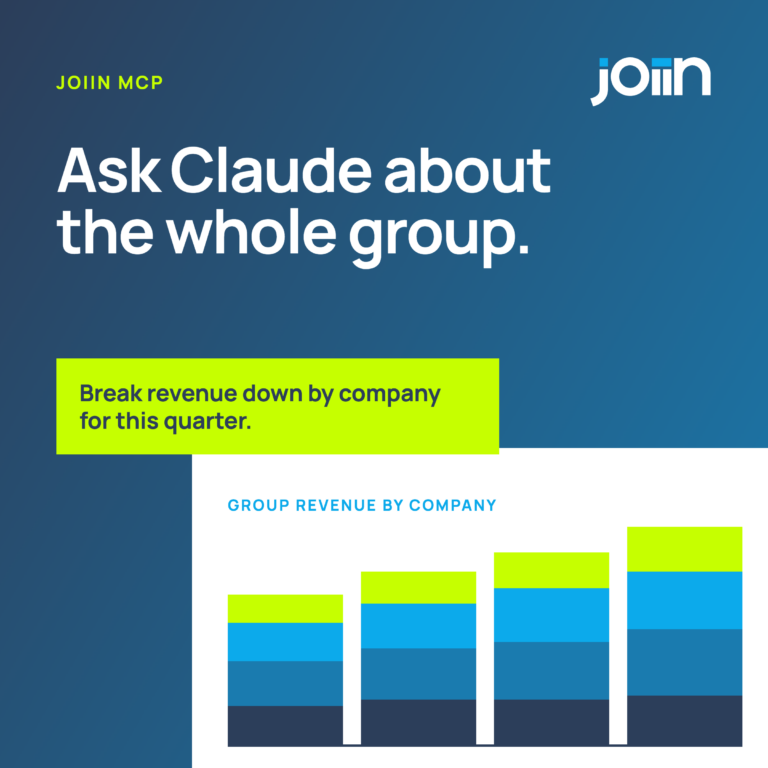
- “Break revenue down by company for this quarter.”
- “Compare this year’s group P&L with last year.”
- “Show budget vs actual for the group this quarter.”
- “Which customers owe us the most?”
- “How much did we spend with [supplier] last year?”
- “Why are Other Expenses so high last month?”
- “Run my [layout name] layout for last month.”
If you work across several Joiin clients, the assistant asks which one to use, and you can switch at any time. For accounting firms, that means one connection covers every client group you report on.
How to get started
The Joiin MCP server is available on the MAX plan. To connect it:
- In Joiin, go to Integrations > AI Connections (MCP) and copy the MCP Server URL.
- In your AI app, add a custom connector (some apps call it an MCP server) and paste in the URL.
- Sign in with your Joiin account when asked.
- Check what the app will be able to read, then click Allow.
You’ll find setup tiles for Claude, ChatGPT, Microsoft Copilot Studio and other apps on the same tab, and you can disconnect any app there at any time. For the full walkthrough, read our Joiin MCP server launch post or the Help Centre guide.
Frequently asked questions
Can Claude connect to more than one Xero organisation? Yes. Xero’s connector in Claude lets you switch between organisations, but each request runs against one organisation’s books. For a consolidated view across several Xero organisations, connect Claude to the Joiin MCP server.
Can ChatGPT consolidate my QuickBooks Online companies? ChatGPT can read individual QuickBooks Online companies, but consolidation needs account mapping, intercompany eliminations and currency translation applied consistently. The Joiin MCP server gives ChatGPT consolidated figures that already have your group setup applied.
What is the Joiin MCP server? The Joiin MCP server is a read-only connection that lets AI assistants such as Claude, ChatGPT and Microsoft Copilot Studio read consolidated, multi-entity financial data from Joiin.
Can my AI assistant change my financial data through Joiin? No. The Joiin MCP server is read-only, so a connected assistant can’t edit or delete anything in your Joiin account.
Which Joiin plan includes the MCP server? The Joiin MCP server is available on the Max plan.
Does it work with companies on different accounting systems? Yes. Joiin consolidates companies across its supported ledgers, including Xero, QuickBooks Online, Sage and FreeAgent, so your assistant sees one group view whichever system each company uses.
Try Joiin free for 14 days
See how your own data looks in Joiin, with full access to every feature during your trial. No credit card required.